CMYK vs. RGB: Understanding Color Modes
Why Do Colors Look Different on Print?
When designing custom flags or promotional banners, one of the most common questions we receive is why a color looks different on a physical fabric compared to a computer monitor or phone screen. This is due to the fundamental difference between the two primary color models: RGB and CMYK.
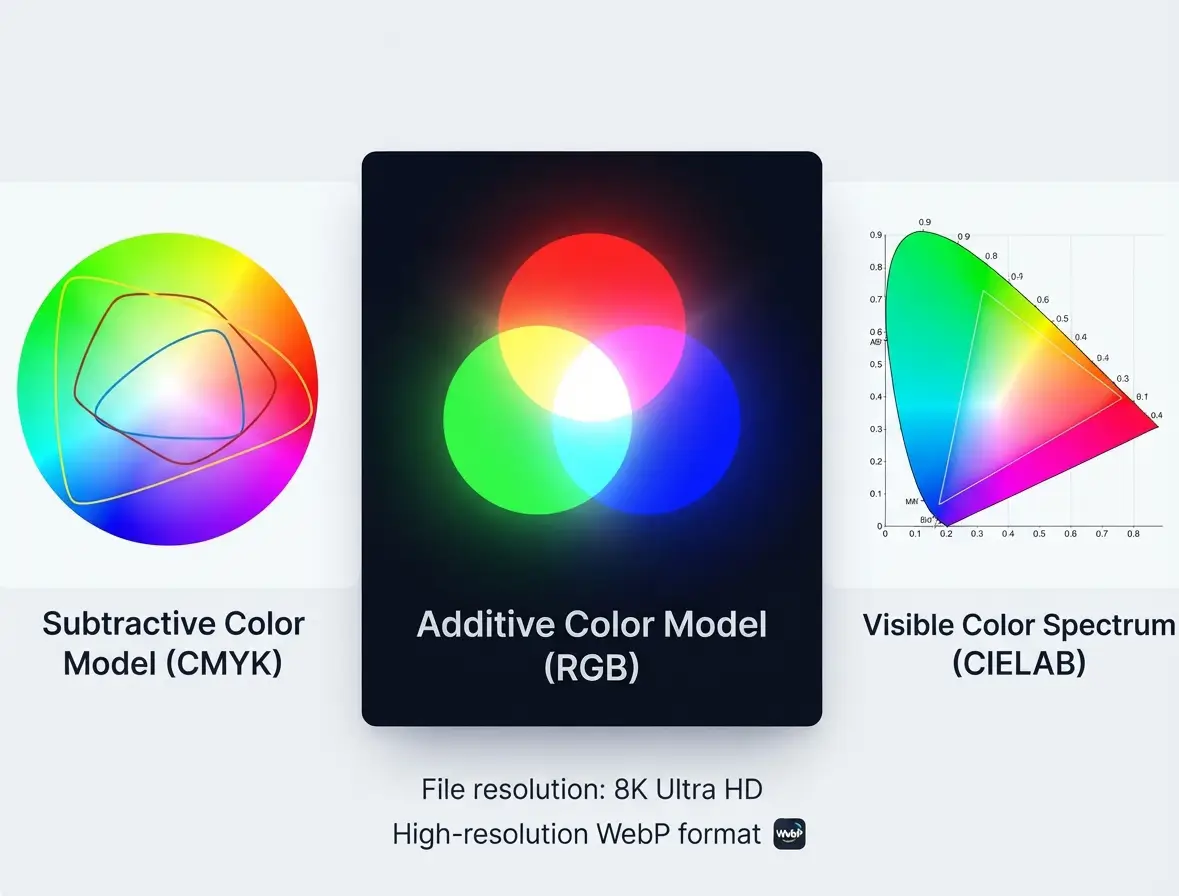
RGB Color Model: Additive light used for digital screens. (Click to enlarge)
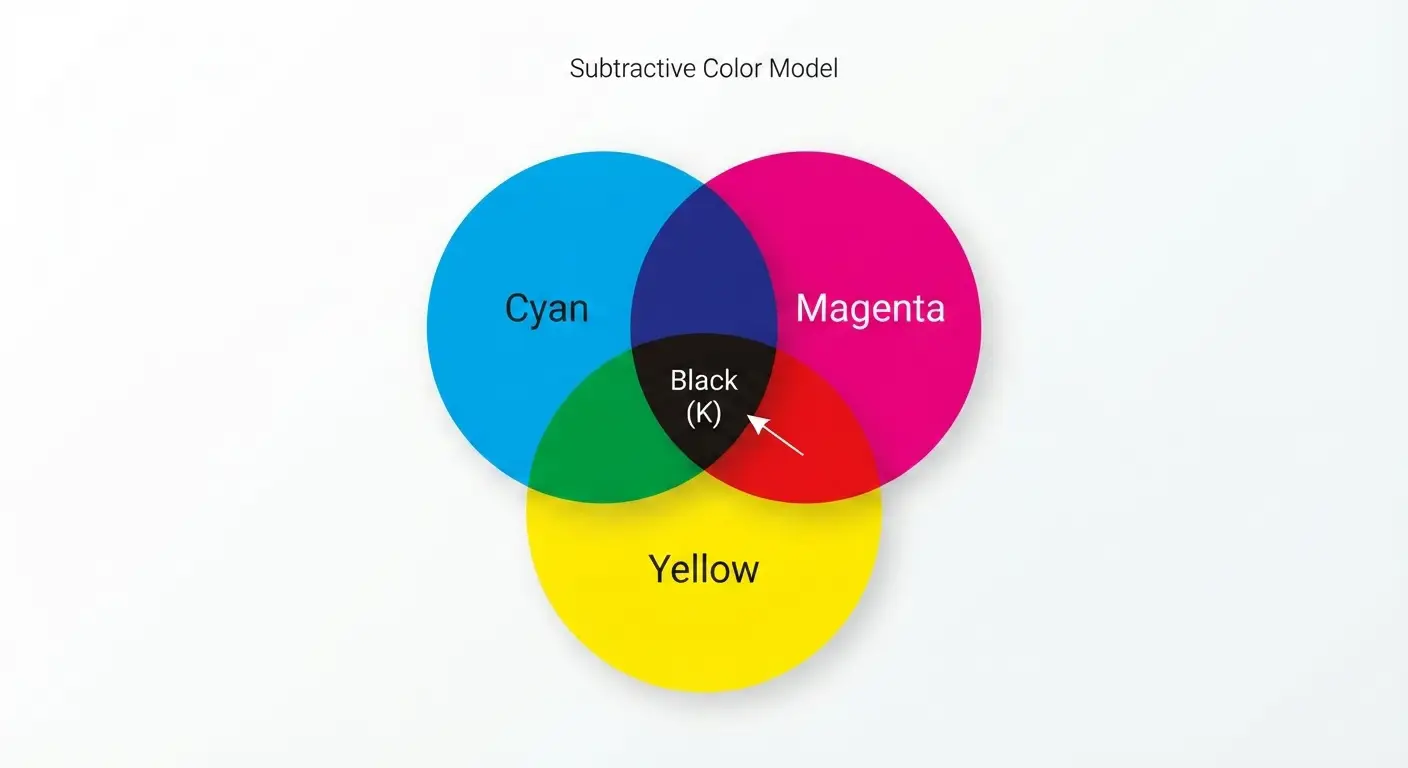
CMYK Color Model: Subtractive inks used for printing. (Click to enlarge)
1. RGB (Red, Green, Blue) — For Digital Screens
RGB is the color space used by electronic displays such as computer monitors, smartphones, and televisions.
- How it works: It is an additive color model, meaning colors are created by combining beams of light (Red, Green, and Blue) on a dark or backlit background.
- Color Range: RGB has a much wider color gamut, meaning it can display vibrant, glowing, and neon hues that physically cannot be replicated by standard inks.
- Best used for: Web design, digital graphics, photography, and screen viewing.
2. CMYK (Cyan, Magenta, Key/Black) — For Printing
CMYK is the standard color model used for physical printing processes, including silk screen printing and dye-sublimation flag printing.
- How it works: It is a subtractive color model. Inks printed on white fabric absorb certain wavelengths of light and reflect back the rest. Mixing Cyan, Magenta, Yellow, and Black inks absorbs more light to create various colors.
- Color Range: Because it relies on physical pigments reflecting ambient light rather than emitting artificial light, CMYK has a slightly narrower gamut than RGB. Extremely bright neon shades may look slightly more muted or deeper when converted to print.
- Best used for: Custom flags, banners, flyers, packaging, and all tangible printed merchandise.
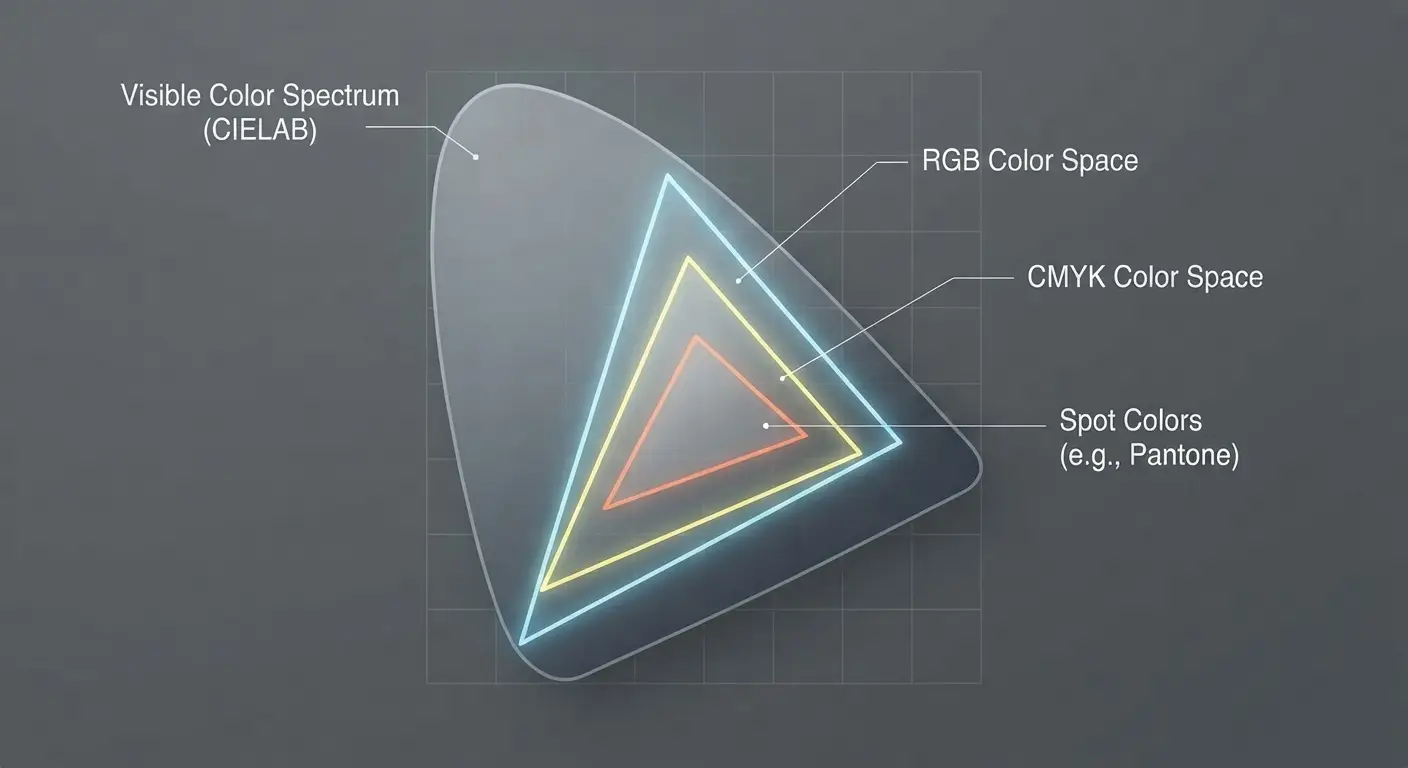
Comparison showing how the CMYK color gamut fits within the broader RGB and human visible color ranges. (Click to view high-resolution image)
Tips for Best Results on Your Custom Flags
To ensure your final products match your expectations as closely as possible, we recommend following these guidelines when preparing your artwork:
- Design in CMYK Mode: If your design software (like Adobe Illustrator or Photoshop) allows it, set your document color mode to CMYK from the beginning so you can preview a more accurate representation of the printed output.
- Mind Bright Colors: Extremely bright or glowing neon shades chosen in RGB will automatically shift closer to their printable CMYK equivalents during production.
- Request Proofs: If exact color matching is critical for your brand identity, feel free to speak with our team about digital or physical color proofs before mass production.